 |
Amazing Improvements and Productivity Enhancements in This 2014 Edition!
|
NEW!! TurnMaster Pro™ 2014
--> size=5> TurnMaster Pro™
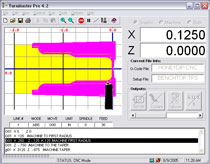 |
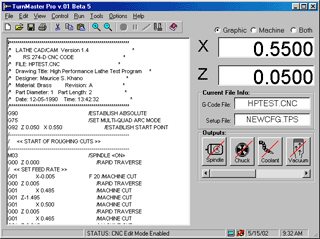
TurnMaster Pro for Windows is a Master Controller software for lathe type machines offering advanced features that are easy to understand and use. The CNC part program can be entered directly into the editor screen, or can be generated with a CAD/CAM program(such as MultiCAM, BobCAD, Surfcam, MasterCAM etc.... The interactive mode allows you to see the operation performed graphically as you type each CNC line, aiding in part program development or training. For documentation purposes, you can print the graphics screen and the part program together or seperately. The control offers many features including true circular interpolation, infinitely variable electronic threading, drilling canned cycles, automatic wizards, and dxf import of drawings. TurnMaster Pro supports advanced functions such as high performance VFD spindle control, Constant Surface Speed (CSS) functionality, tool offsets, automatic and manual tool changers, as well as pnuematic chucks and air collet closers. These advanced features are preconfigured and require minimal setup. No VB script or C languauge programming knowledge is needed.
- FEATURES:
-
- Large X & Z axis coordinate
display
-
Displays current G-code & setup filename in use
-
Outputs and machine status display
-
Graphical test mode with true tool diameter depiction for clearances
-
RS274D standard G & M-codes
-
Capacity for very long part programs as generated by CAD/CAM software
-
Backlash compensation
-
Easy tool jogging from keyboard
-
Supports subroutines/Macros and global variables
-
Graphically simulates all tool movements and cutting operations
-
Includes a full screen text editor
-
Automatically incorporates ramping on rapid traverse moves
-
Supports Constant Surface Speed(CSS) programming
-
Supports continuous contouring
-
Supports Automatic tool changers
-
Supports metric and inch programming
-
Decision making and branching based on variable/parameter value.
-
Automatic syntax checking flags programming errors before they become a problem.
- Built
in wizards which make common complex operations easy
- CNC and DXF File drag and drop support
- Large X & Z axis coordinate
display
|
|
|
| TurnMaster Pro for Windows Menu & Toolbar System With an easy to use interface including:
|
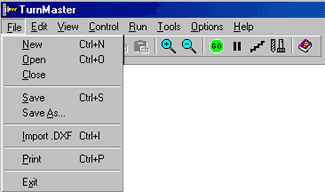

Editor
 |
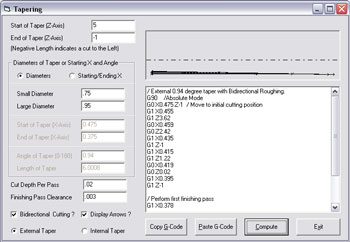
Tapers
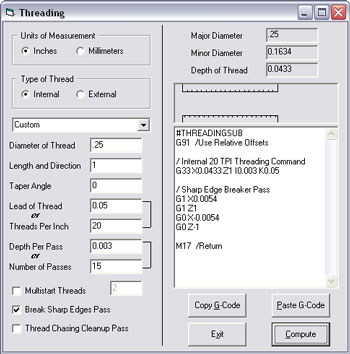
Threading
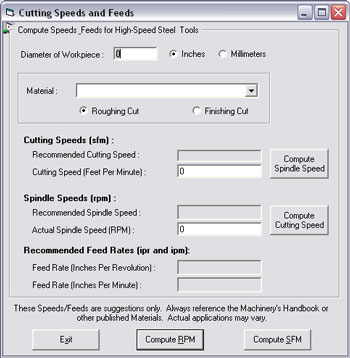
Speeds
& Feeds
Supported G & M CODES:
Preparatory
Functions (G-Codes)
|
Miscellaneous
Functions (M-Codes)M04 Spindle M05 Spindle M06 Tool change M08 Coolant M09 Coolant M10 Vacuum M11 Vacuum M12 Auxiliary Output M13 Auxiliary Output M17 Return from subroutine M25 Rapid traverse to home position M39 Chuck M40 Chuck M66 Jog axis during execution M97 Wait for true input state then continue M99 Restart part program from beginning |
Special
Codes |
|
QUALITY:
-
MicroKinetics CNC software packages are expertly designed and tested to conform to stringent standards. Detailed testing procedures and checklists are followed to insure consistent, repeatable, high quality.